If you have upgraded your Firefox to Firefox 2.0.0.4, you maybe want to upgrade your Firefox Portable Edition to version 2.0.0.4 too.
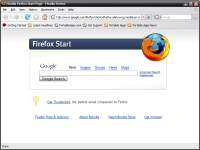 With Mozilla Firefox Portable Edition, you can bring along your bookmarks, favourite extensions and also saved passwords in a USB flash drive. It is really portable and has all the functions like the real Firefox.
You can run it from any computers if the Firefox portable edition is with you. And you also can use this Firefox Portable Edition from ZIP drives, external hard drives, some MP3 players, flash RAM cards and more.
Go here for more information about this smart application. And drop me some comments and share your opinions with us. 🙂

thanks…I will give it a try
I’m using Firefox Portable on my computer ever since I have problem with my previous Firefox (hang all the time). It updates automatically like a normal Firefox. Neat.
mmm,i have installed it but how can i transfer my bookmarks from mozilla(in my laptop) to mozilla(in my thumbdrive)?heee..
:d
i guess so. :d just copy all your settings to the portable firefox.
mmm,ok..let me try it..thanx bro..
During past time portable programs are becoming some kind of a trend. I tried to use portable Windows commander, portable WinAVR (AVR programming software), firefox. Just get flash disk big enough and you are all set up where-ever you are.
I even can’t think about using pop3 email, only web based – unless email client is a portable one :).